 For Affinity · One-time $49 · No subscription
Any artwork to screen-print-ready layers
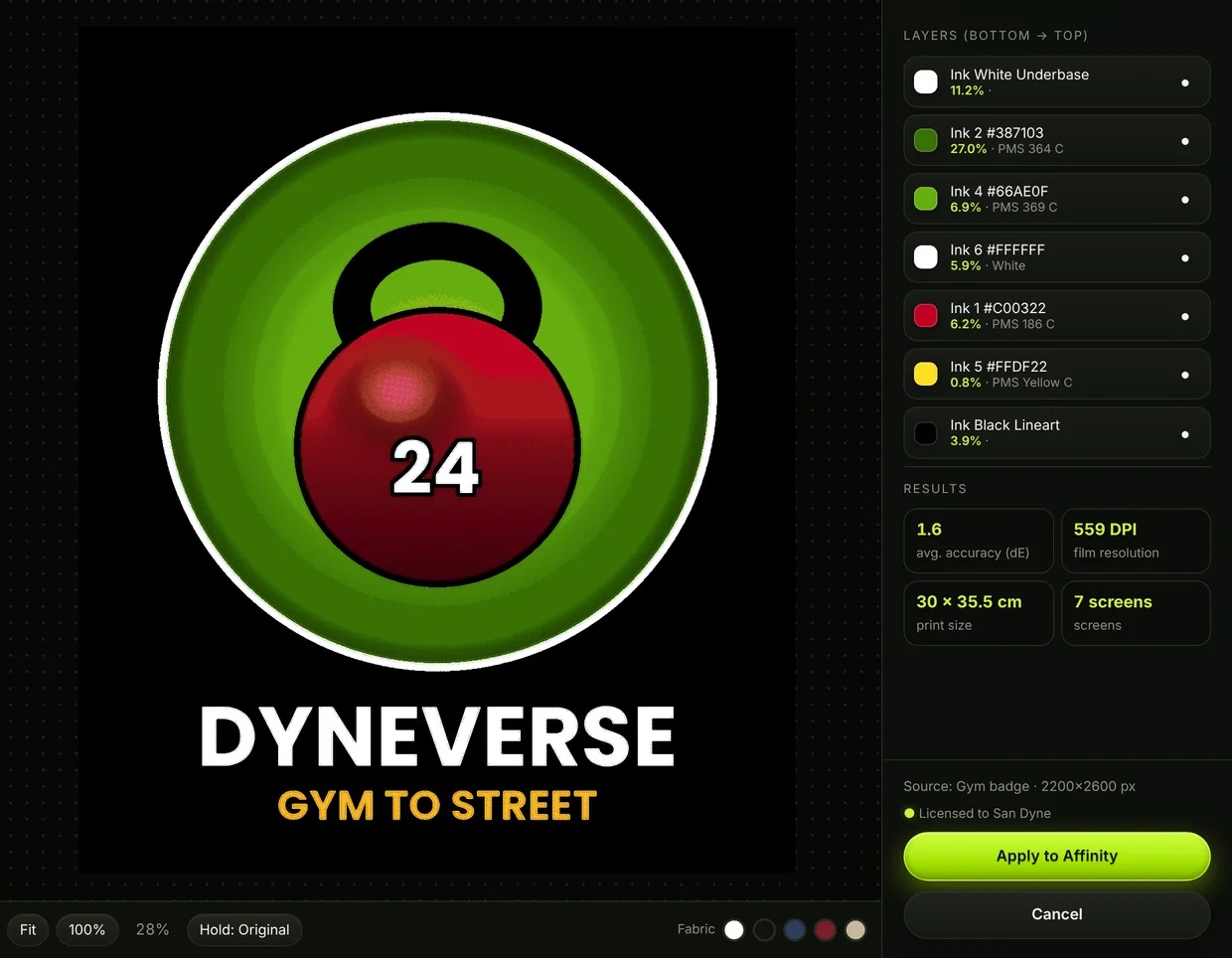
VTone separates full-color designs into spot-color inks, halftones, white underbase and film in one click, right inside Affinity.
- Works with free Affinity 3
- Offline after activation
- macOS 11+ · Windows coming soon
How it works
From design to screens in three steps
No separation skills, no Photoshop, no monthly bill.
Install once
Install DYNEVERSE on your Mac and paste the VTone script into Affinity. Takes about a minute.
Pick your artwork
Select an image layer in Affinity, run VTone, then choose shirt color, print size and how many inks.
Separate & apply
Every ink comes back as its own layer in Affinity, and film is saved for burning screens.
Features
Everything a print shop needs
Smart spot-color inks
VTone reads your artwork and picks the inks for you, then names each one with the nearest Pantone.
- Up to 12 inks, merges near-identical colors
- Optional plastisol ink library
- Black line art kept crisp on its own layer
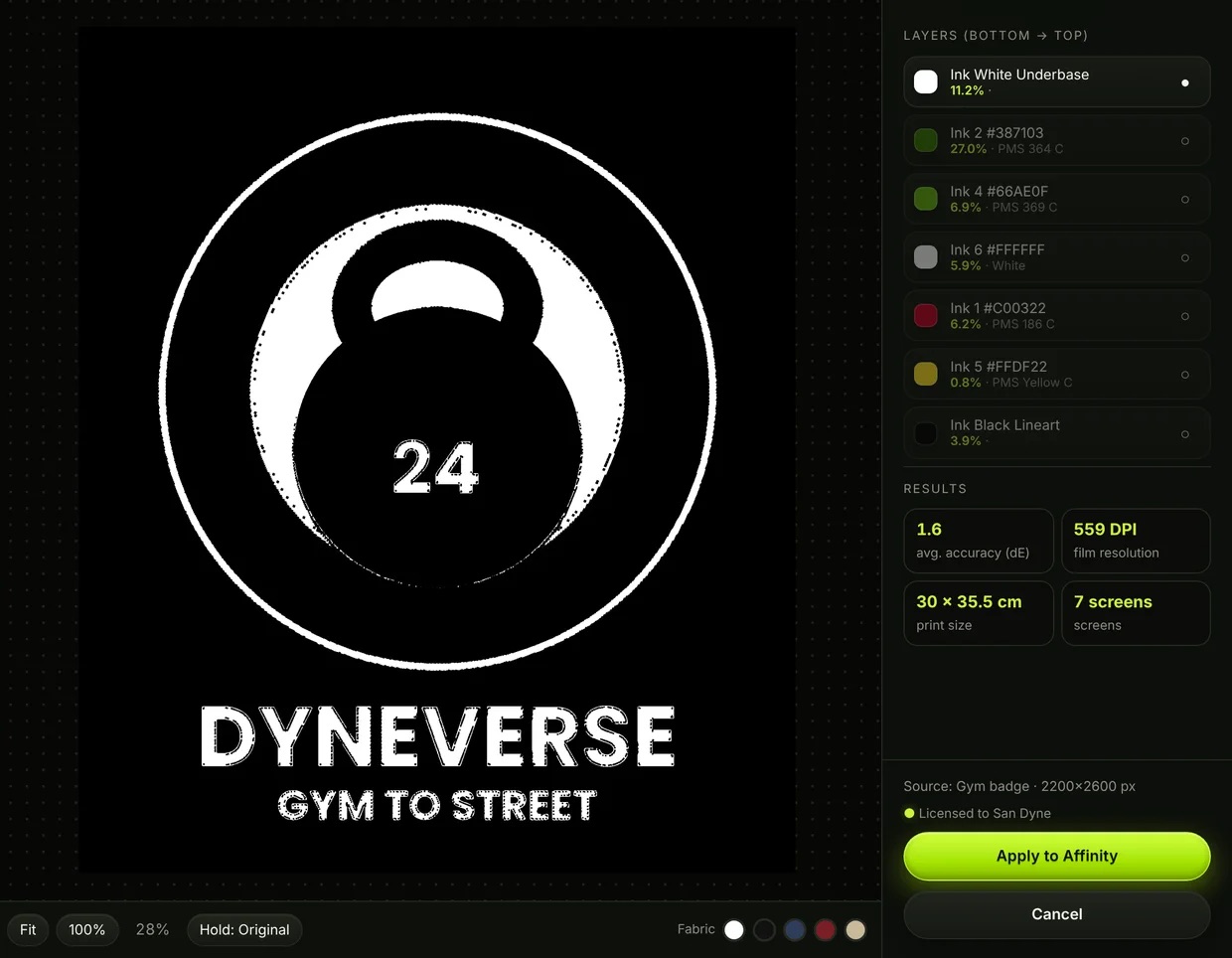
White underbase that just works
Printing on dark shirts? VTone builds the underbase automatically, with choke so it never peeks out.
- Adjustable strength and choke
- Optional highlight white printed last
- Preview on white, black or colored fabric

Real halftones, ready for film
Gradients and soft shading become clean halftone dots at your LPI and angle, ready to print as film.
- 22.5° or 45° screen angle, any LPI
- Dot gain compensation and minimum dot
- 1-bit film TIFFs with registration marks
Layers back in Affinity
A tidy group, one layer per ink, in print order.
Shirt preview
See the print on fabric before you burn a screen.
Works offline
Activate once. No account, no login every time.
2 computers
One purchase covers 2 computers, Mac and (soon) Windows.
Why VTone
Pay once. Skip the subscription.
| Feature | VTone + Affinity | Subscription software | Separating by hand |
|---|---|---|---|
| Cost | $49 once | Monthly, forever | Hours of your time |
| Design app | Affinity (free) | Paid app required | Any |
| Time per design | About a minute | Minutes to hours | Hours |
| Underbase & halftones | Automatic | Often extra steps | Manual |
| Works offline | Yes | Needs sign-in | Yes |
Pricing
Buy once. Keep it.
Same price everywhere. All VTone 1.x updates included.
Opened from VTone. This computer activates by itself after payment.
- VTone for Affinity, full version
- 2 computers (Mac now, Windows when it ships)
- Free updates for all of 1.x
- Works offline after one activation
- Instant code after payment, 24/7
Loading secure checkout…
Pay by Visa, Mastercard, American Express or PayPal. No PayPal account needed to pay by card. Your code appears right after payment, any time of day or night.
Try it free first
The trial does everything except sending layers to Affinity and saving film. Separate your own artwork and see every ink.
Already bought?
Open DYNEVERSE, paste your code (DY-XXXX-XXXX-XXXX) in the VTone license window and click Activate.
Lost your code? Message us and we'll send it again.
FAQ
Questions
Do I need Photoshop or a subscription?
No. VTone works inside Affinity, which is free. You pay once for VTone and keep it.
Does it work on Windows?
Windows is in progress. Your purchase code will work on Windows too when it ships. One code covers 2 computers, Mac or Windows.
macOS says the app can't be opened.
This happens the first time because VTone comes from an independent studio, not the App Store. Open System Settings › Privacy & Security, scroll down, click Open Anyway, then open the installer again. You only do this once.
Can I move my license to a new computer?
Yes. On the old one click “Deactivate this computer” in the VTone license window, then activate on the new one.
Will there be more tools?
Yes. DYNEVERSE is a home for affordable Affinity tools. Each tool is sold separately and installs into the same app.
Print-ready separations, without the monthly bill
Try VTone free with your own artwork. Buy once when you're ready.